 IT Playbook
Your progress
Progress and certificates
IT Playbook tracks three kinds of progress in every course and builds your daily goal, streak, medals and certificates from them. This page covers each tracker, the marks in the sidebar, starting a course again, and the exact rules behind the streak, freezes, medals and certificates.
Learned, Quizzes and Flashcards
Every course has three trackers. On your dashboard they are the three bars on each course card:
- Learned: the lessons whose narration you have heard to the end, shown as 12/62 · 19%. Only listening counts: reading a lesson without playing the narration does not move this bar. See Listened in full.
- Quizzes: the lessons whose Knowledge Check you have passed, which means every question answered correctly. Shown the same way, such as 20/62 · 32%. See The Knowledge Check.
- Flashcards: the course's deck, shown as 41/236 known · 12 to review. Known means known now: your last answer was I know this and the card is not due yet. To review means cards you have seen that are due again or that you missed. Before you open the trainer the row reads practice vocabulary. Click the row to open the trainer. See How the schedule works.
Learned and Quizzes count the numbered lessons only, so both are out of the same total. The Introduction and the chapter Overviews are narrated but have no quiz, and listening to them does not move the Learned bar. Flashcards counts the terms in the course's glossary, so its total is the size of the deck.
The three do different jobs. Learned shows how much you have heard. Quizzes and Flashcards are the two halves of finishing a course: see Medals. Listening is never required to finish.
Marks in the sidebar
Inside a course, the sidebar marks each page on the left of its row, in place of the lesson number:
- Green tick: the lesson's quiz is passed.
- Amber headphone: the page has been listened to in full. The Introduction and Overview rows can carry it too; they have no quiz, so it is the only mark they get.
- A lesson with both shows the green tick.
Chapter rails
A coloured bar along the left edge of a chapter's heading shows how the whole chapter stands, so you can read it with the chapter folded:
- Green: every lesson's quiz in the chapter is passed. Hover over it for Every quiz in this chapter passed. The Overview is not needed, since it has no quiz.
- Amber: every page of the chapter, the Overview included, has been listened to in full. Hover for This chapter has been listened to in full.
- When both are true, the rail is green.
The flashcards bar
Under Flashcards, the last item in the sidebar, a thin bar shows the deck: green for cards known now, amber for cards to review, and the empty rest of the track for cards you have not seen yet. Hover over it for the numbers. It appears once you have opened the trainer on that device. See Your deck in the sidebar.


The marks are kept in your browser. Signed in, they are also saved to your account, and opening any page of a course on another device fills in the marks for the whole course there. The lock and free tags on the right of a row are about access, not progress: see Locks and free tags.
Progress without an account
On the free pages, quizzes and the listened-in-full marks work without signing in. What you do is kept in this browser only: another browser or device does not see it, and clearing this site's data in your browser removes it. The flashcard trainer is not one of the free pages, so it needs an account: see Opening the trainer.
Signing in adds everything else on this page: the dashboard with its bars and Resume card, the daily goal, the streak and freezes, the activity graph, medals and certificates, and your progress on every device. See Signing in.
When you sign in, what you did signed out is not lost: a page you passed or listened to in full is saved to your account the next time you open that page signed in.
Starting a course again
Reset progress sits at the bottom of the course sidebar, under Flashcards. It appears only when there is something to reset: ticks or headphones on this device, a flashcard deck for the course on this device, or, when you are signed in, progress saved in your account.
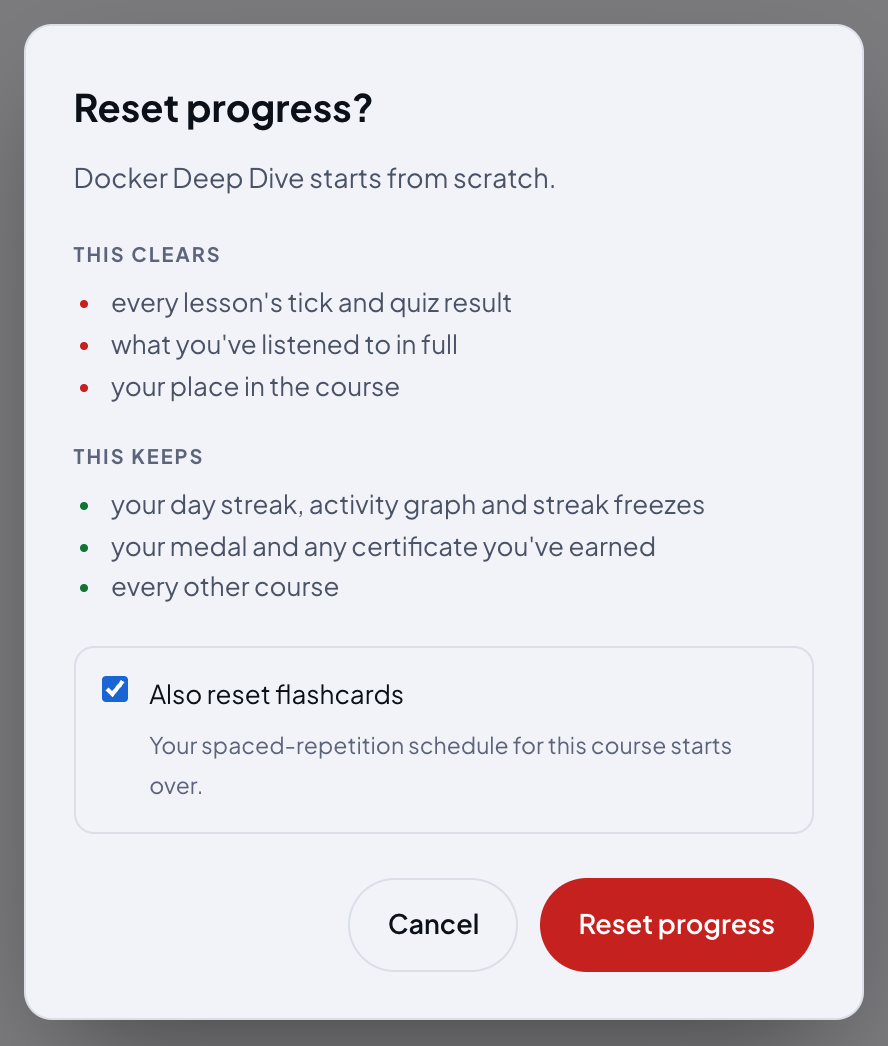
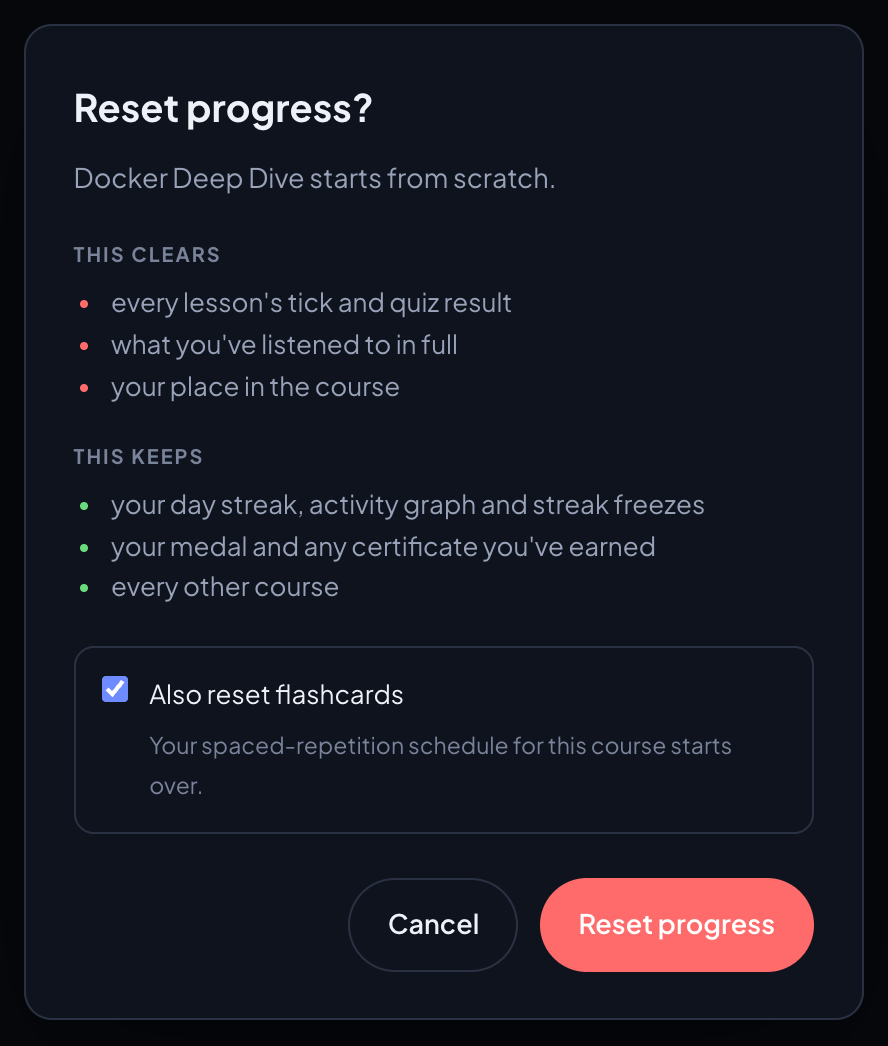
- Click Reset progress. A dialog titled Reset progress? says the course starts from scratch and lists what goes and what stays.
- Leave Also reset flashcards ticked to start the deck over, or untick it to keep your spaced-repetition schedule for this course. It is ticked by default.
- Click Reset progress to confirm. Cancel, Esc or a click outside the dialog leaves everything as it was.
The page reloads with the course cleared. If the reset cannot reach your account, the dialog says Couldn't reset just now and nothing is cleared on this device either. Check your connection and try again.
What it clears and what it keeps
It clears, for this course only:
- Every lesson's tick and quiz result, so the Quizzes bar goes back to zero.
- What you have listened to in full, so the headphones, the amber rails and the Learned bar go too, along with the partly heard percentages on this device.
- Your place in the course: the dashboard's Continue starts again from chapter 1.
- With Also reset flashcards ticked, the deck and its schedule: every card is new again.
It keeps:
- Your day streak, the activity graph and your streak freezes. The days you studied stay studied.
- Your medal and any certificate you have earned for the course. If you finished it, the dialog says so in a green note.
- Every other course.
- With the box unticked, your flashcard deck and its schedule.
On your other devices
Signed in, the reset is saved to your account first, and your other devices apply it the next time they open a page of that course, including your choice about the flashcards.
Daily goal
The daily goal has two halves, and a day counts only when both are met:
- Lessons: a number of lessons whose quiz you pass, from 1 to 10 a day. The default is 1. Or choose Chapters: a number of chapters finished, from 1 to 5 a day, default 1. A chapter is finished on the day you pass the last of its lessons' quizzes.
- Flashcards: a number of different cards you grade, from 0 to 50 a day. The default is 10. Set it to 0 and the lessons half alone makes the day.
Setting your goal
- Open Settings, Learning profile.
- Under Daily goal, choose Lessons or Chapters, then set the number with − and +. Each mode keeps its own number, so switching back finds the one you had.
- Under …and flashcards, set the number of cards. It moves by 1 below 10 and by 5 from 10 up.
Every change saves at once and follows your account to every device. A new goal applies from the day you set it: today is judged by it, and earlier days keep the goal they had. See How the count works.
What counts
- A lesson counts on the day you pass its quiz, in any course, once per day.
- A flashcard counts once per day however often you grade it, whichever grade you give, in any course and any session.
- Listening and reading do not count toward the goal. They show in the activity graph.
- A day runs from midnight to midnight on your device's clock.
- The goal is counted from your account, so it needs you signed in.
The flame
Once both halves are met, a small flame appears next to your name in the top bar of every page, with the tooltip Daily goal reached. It goes out at midnight. A freeze never lights it.
Streak
Your streak is the number of days in a row you met your daily goal. It is shown on the streak card at the top of the dashboard's right column, and as a chip such as 12-day streak next to the greeting once it is above zero.
Reading the streak card
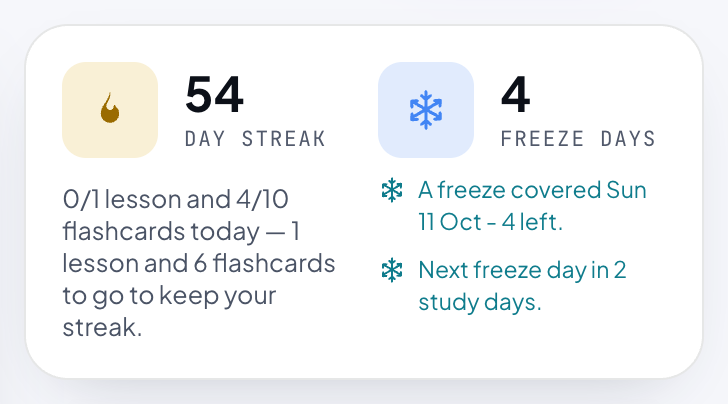
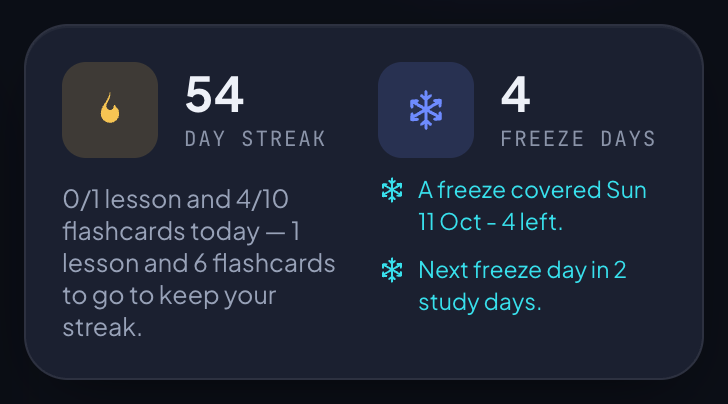
The left half shows a flame, the number and day streak. Under it, while today's goal is open, a line names both halves, such as 0/1 lesson and 4/10 flashcards today, followed by what is still to go: 1 lesson and 6 flashcards to go to keep your streak. In Chapters mode it counts chapters, and with the card goal at 0 the flashcards part is left out. Once both halves are met it says Daily goal reached, with your streak and Nice work.
The right half is your freezes: see Freezes on the streak card.
How the count works
- Today is never a missed day while it lasts. Until midnight the card shows the streak you had at the end of yesterday, and today joins it as soon as you meet the goal.
- A day that ends without the goal uses a freeze if you hold one. The streak survives, but it does not grow for that day.
- A day that ends without the goal and with no freeze to spend ends the run. The streak goes back to 0, and the days you had put toward the next freeze start again from zero.
- The streak counts only days you actually met the goal. Freezes keep a run alive; they never add to it.
- Each day is judged by the goal you had on that day. Raise your goal and the days before the change still count by the old one, so your run is not lost; lower it and those days do not count for more. Change it twice in one day and the last change is the one for that day.
- It is worked out from your account's history each time the dashboard opens, so every device shows the same number.
Streak freezes
A freeze covers one day you miss, so your streak survives it. There is nothing to press: when a day ends without the goal and you hold a freeze, one is spent for you.
Earning freezes
- The first freeze comes after 7 days of meeting your goal.
- Each freeze you already hold makes the next one cost a day more: 8 days with one in hand, 9 with two, and so on.
- The days are counted from the last freeze you earned. Spending a freeze makes the next one cheaper again, and the days you have already put toward it stay counted.
- You can hold 14 at most. At 14, a study day counts toward nothing more until you spend one.
- Only days you met the goal count. A day a freeze covered does not.
When a freeze is spent
- One freeze per missed day, spent automatically once the day is over.
- Your run goes on, and your streak stays at the number you had.
- Miss more days in a row than you hold freezes, and the run ends on the first day nothing covers. The streak goes back to 0 and the freezes go too: they belong to the run that earned them.
- A freeze does not count as meeting the goal and does not light the flame.
Freezes on the streak card
The right half of the streak card shows a snowflake, the number you hold and freeze days. Hover over it for the rule and when the next one is earned. Under it, up to two lines:
- A freeze covered yesterday - 1 left. For an older day it names the date, such as Sun 11 Oct. The line stays for a week after the freeze was spent.
- Next freeze day in 4 study days., or Next freeze day after 1 more study day. A study day is a day you meet the goal, so a missed day does not bring the next freeze closer.
- On the day you earn one: You earned a freeze day today. The next one is 8 study days away. If that one was your 14th, the line says 14 is the most you can hold. instead.
Activity graph
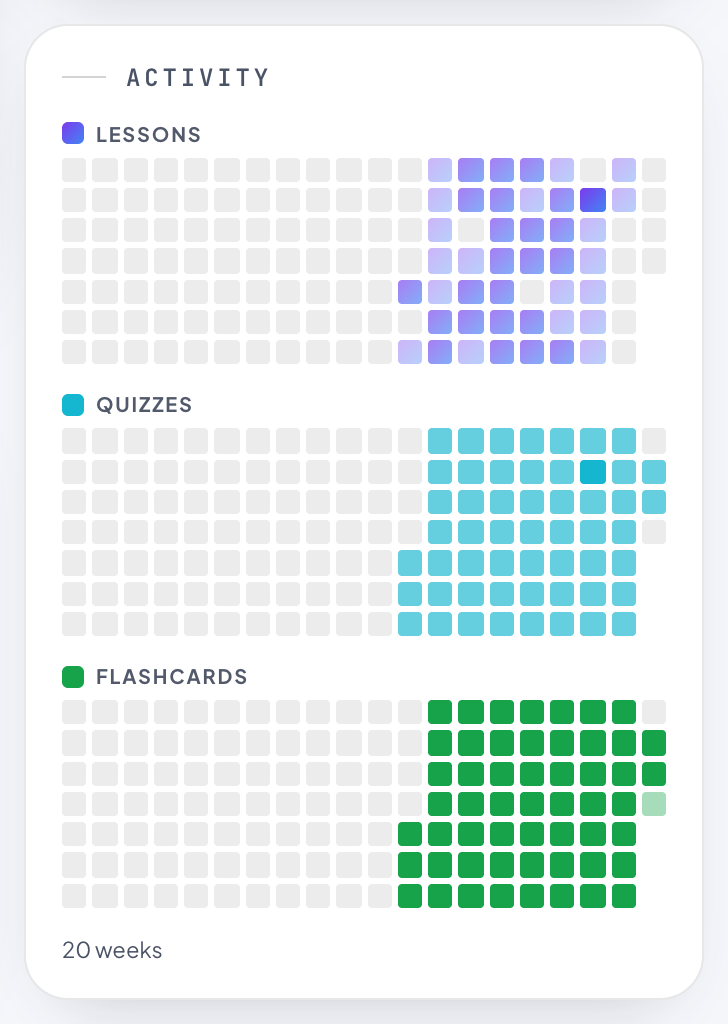
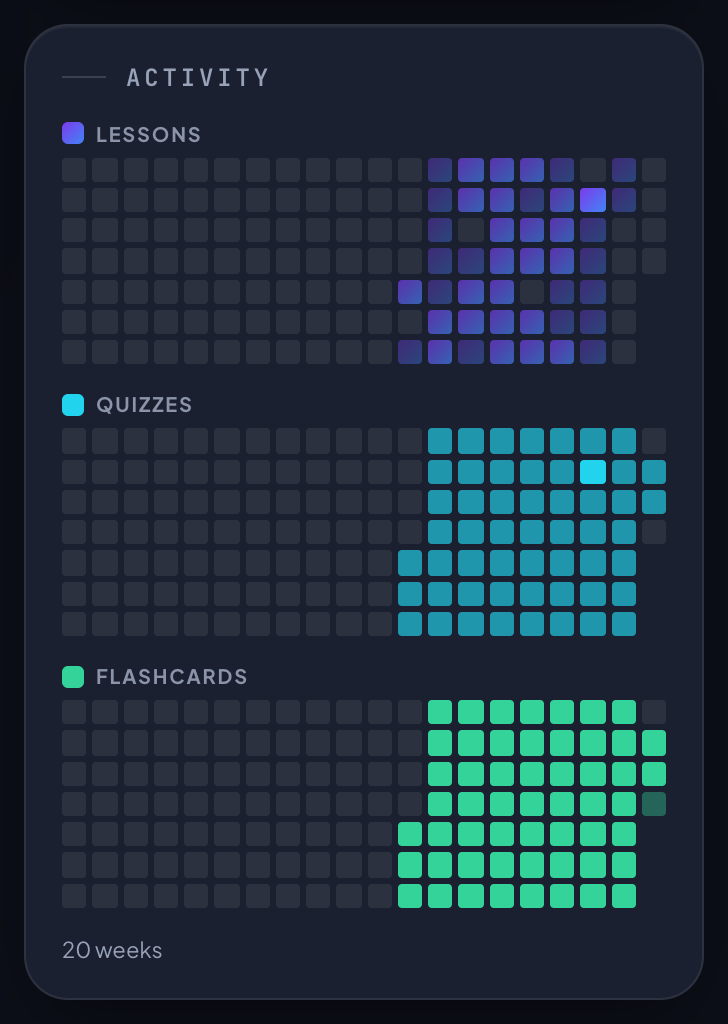
Under the streak card, Activity shows the last 20 weeks as three strips of small squares, one square per day across all your courses. Each column is a week from Sunday at the top to Saturday at the bottom. The last column is this week, and days that have not come yet are greyed out.
- Lessons: pages you listened to in full that day, Introductions and Overviews included.
- Quizzes: quizzes you passed that day.
- Flashcards: different cards you graded that day.
An empty square means nothing that day; darker means more. The Lessons and Quizzes strips reach their darkest at 3 a day, the Flashcards strip at your daily card goal. Hover over a square for the date and the count, such as 2026-10-12: 2 lessons.
Resetting a course never touches it: the days you studied stay in the graph.
Medals
When a course is finished
A course is finished, and earns its medal, when both halves are done:
- Every lesson's quiz passed. A quiz you passed once still counts after Reset progress.
- Every card of the deck known now: your last answer to each card was I know this, and none is due yet.
Listening is not required. The Learned bar plays no part, so a learner who reads every lesson and never plays the narration earns the medal the same way.
Once earned, the medal stays. Cards that come due again later, a reset of the course or a reset of its deck never take it away.
Where medals show
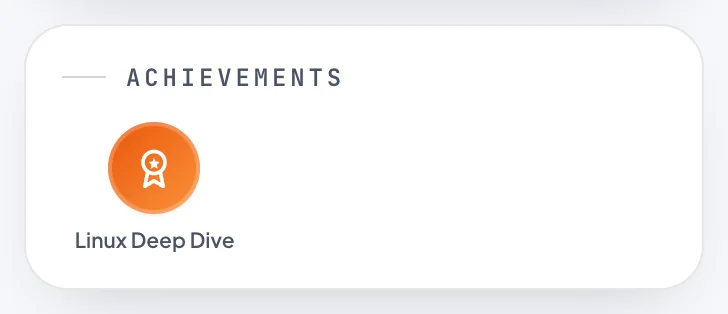
- Achievements, the card under Activity on your dashboard: one medal per finished course, with the course title. Until you finish one it says No courses completed yet. Click a medal to get your certificate.
- Continue learning: a finished course's card shows the medal in place of its play icon.
- All courses: a small medal in the corner of a finished course's card.
A new medal appears the next time the dashboard loads after you finish.

Hints on the Resume card
When you are one half away from finishing, the Resume card says so under its bars. The wording changes from day to day. Some examples:
- Every quiz passed. Master 236 flashcards and the certificate is yours.
- Every flashcard known. Pass 4 quizzes and the certificate is yours.
- Every quiz passed. The flashcard deck is the other half of your certificate. (When you have not opened the deck yet.)
- You've learned every lesson. The course isn't finished until the quizzes and the deck are: 12 quizzes and 236 flashcards left, and the certificate is yours. (When every lesson is heard but neither half is done.)
- Course complete. Your certificate is waiting under Achievements.
While neither half is done and some lessons are not yet listened to in full, there is no hint.
Certificates
Every finished course gives you a certificate of completion with its own web address that anyone can open.
Getting your certificate
- Check that your account has a name: Settings, Profile, Display name. It is the name printed on the certificate.
- On your dashboard, click the course's medal under Achievements. Its label reads Preparing… while the certificate is made.
- The certificate opens in the same tab.
The certificate is created the first time you click the medal, after your finish is checked once more on our side. Nothing is issued before that click.
- Add your name in Settings before claiming a certificate. Your account has no display name, and Settings opens. Add one, then click the medal again.
- A message such as The course's flashcard deck has 236 cards; your record says 230. Open the flashcards once so it syncs, then try again. The course's deck has changed since you last opened it, so your record no longer matches it. Open the course's Flashcards page once, then try again.
- Couldn't open your certificate just yet. If you've only just finished the course, give it a moment and try again. The certificate could not be issued this time, with no reason given; try again shortly.
What it shows
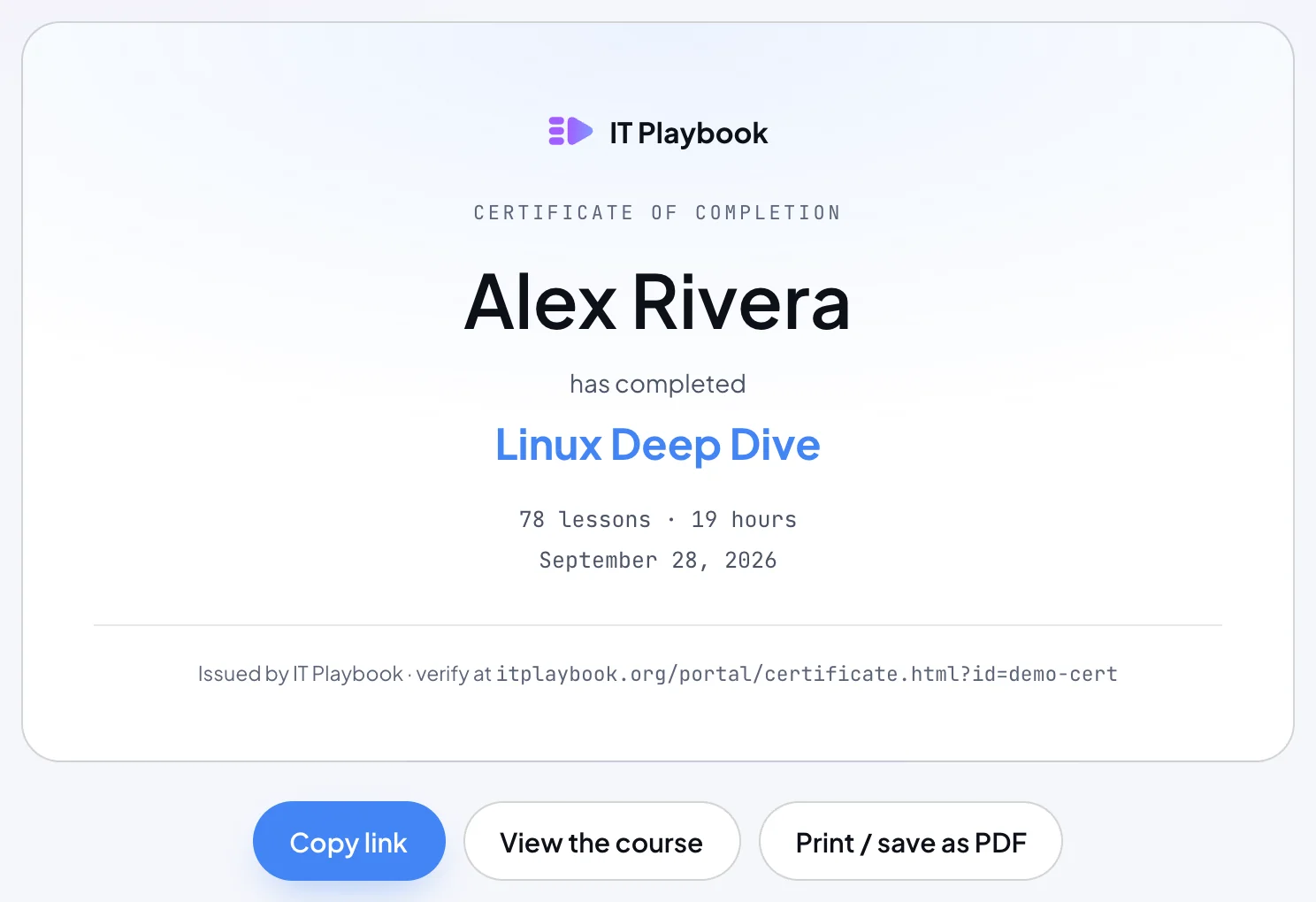
- The IT Playbook logo and Certificate of completion.
- Your name, has completed, and the course title.
- The course's length, such as 78 lessons · 14 hours: the numbered lessons and the course's estimated time, the same figure as on its course card.
- The date the certificate was first issued, which is the day you first clicked the medal, not the day you finished the course.
- Issued by IT Playbook · verify at itplaybook.org/portal/certificate.html?id=… with the certificate's own address.

Sharing, printing and keeping it
- Copy link copies the certificate's address; the button reads Link copied for a moment.
- View the course opens the course's Introduction.
- Print / save as PDF opens your browser's print dialog. Choose Save as PDF there for a file.
- Anyone with the link can open it, without an account. Search engines are asked not to list it. It shows your name, the course, its length and the date, and nothing else: not your email.
- An address that does not match a certificate shows Certificate not found and a Go to IT Playbook button.
One per course, and changing your name
You get one certificate per course. Clicking the medal again opens the same certificate at the same address, and updates your name, the course title and its length if they have changed. The date stays. To correct your name, change it in Settings, Profile, then click the medal again.
- The first time a certificate is issued you also get an email, You've completed followed by the course name, with a View your certificate link.
- A certificate does not expire. It stays after Reset progress and after a membership ends. Deleting your account deletes its certificates and their links.
Progress in the apps
The iPhone and iPad app and the Android app read the same progress, goal and streak from your account. Where they differ:
- Progress tab: the streak card with its freeze lines, the Activity graph and Achievements. Tap a medal to get the certificate; it opens in a browser sheet inside the app on the iPhone and iPad, and in your browser on Android. Without a display name the app says so and offers Open Settings.
- Dashboard tab: your courses and Paths, without a Resume card. See Your dashboard in the apps.
- Daily goal: in Settings, under Daily goal.
- The flame lights in the reader's top bar when today's goal is met.
- Reset progress is on the course screen and at the end of the lesson list in the reader.
- Signed out, the Progress tab asks you to sign in, on the Account tab.
More on the apps in The apps.