Editor Assistants
Editor assistants live where you already read code. They offer completion as you type, a chat panel beside the file, and an agent mode that edits several files and runs commands in the editor's terminal. As of October 2026 they come in two forms: extensions added to an editor you already use, and editors built around the agent from the start.
This page gives its four main tools the same six fields as the previous one, checked against the vendors' documentation in October 2026. The differences that matter for this book are three: where the instructions file lives, how the agent's terminal commands get approved, and how usage is metered.
The Category and the Table
One product, three modes. The book's habits apply to agent mode in full: it changes several files for one request, so it gets a task, a diff, tests and a commit like any agent. They apply to completion line by line, because a single accepted suggestion is still code you now own, and the advice of Chapter 6 holds for it. Chat sits between them, producing code you copy in by hand.
| Tool | Instructions files | Agent commands |
|---|---|---|
| Copilot | copilot-instructions.md, path-specific files, AGENTS.md | read-only run, risky ones ask; auto-approve list; sandbox in preview |
| Cursor | .cursor/rules, AGENTS.md | a Run Mode; optional sandbox |
| Antigravity | AGENTS.md or GEMINI.md, .agents/rules | app: four presets, Default sandboxed; editor not confirmed |
| Devin Desktop | .devin/rules, AGENTS.md, older Windsurf rules | three session modes; allow, ask and deny rules |
| Cline | .clinerules, AGENTS.md, other tools' rule files | every edit and command asks unless auto-approve is on |
| Tool | Maker | Runs in | Billing unit |
|---|---|---|---|
| Copilot | GitHub | an extension for VS Code, JetBrains IDEs and others | AI credits, by tokens |
| Cursor | Anysphere | its own editor | plan usage, then top-ups |
| Antigravity | its own editor and app | Google AI plan | |
| Devin Desktop | Cognition | its own editor, formerly Windsurf | plans carried over from Windsurf |
| Cline | Cline Bot Inc. | an extension, also a command-line tool | your chosen model provider's |
Copilot in the Editor
- What it is. GitHub's assistant as an extension for Visual Studio Code, the JetBrains IDEs and other editors, with completion, chat and agent mode in one product.
- Setup. Install the extension and sign in with a GitHub account on a Copilot plan. A Free plan with limited access exists as of October 2026, alongside paid individual and business plans.
- Instructions file. The repository-wide
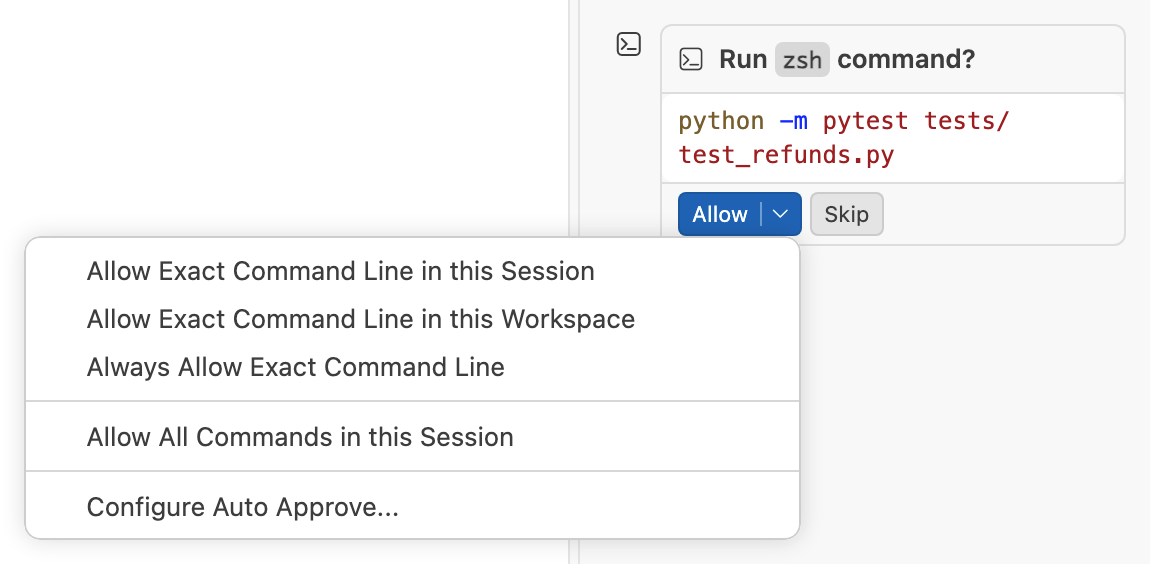
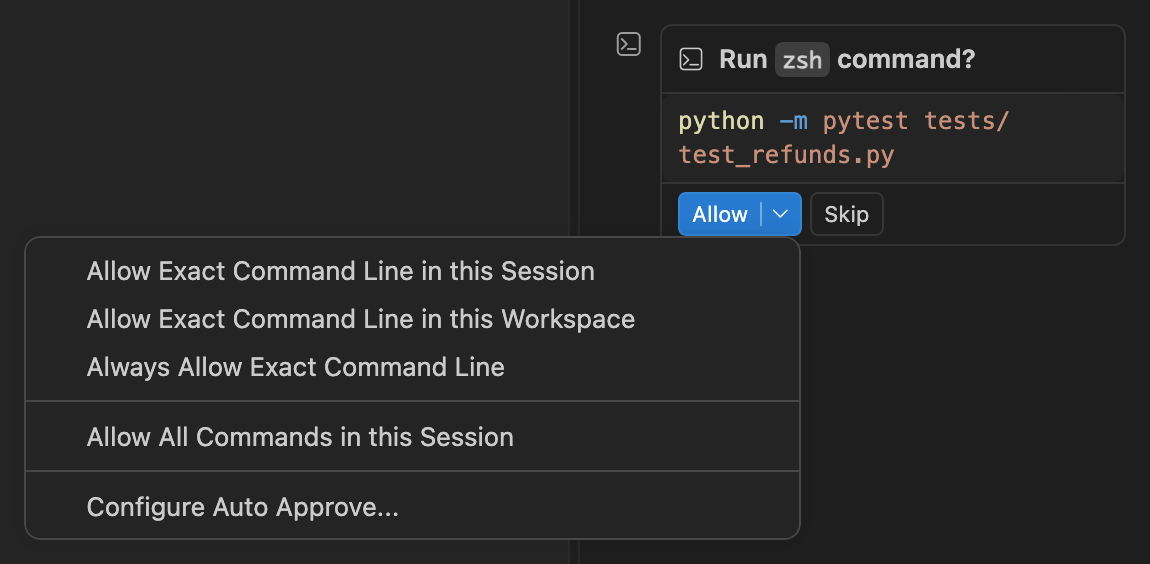
.github/copilot-instructions.md, path-specific instruction files under.github/instructions, and, in Visual Studio Code,AGENTS.mdas the agent instructions. - Permissions and sandbox. In Visual Studio Code, common read-only commands from agent mode run automatically and others, such as deleting files, ask first. A command that asks waits in the chat with Allow and Skip, and the menu beside Allow offers wider choices, from "Always Allow Exact Command Line" to "Allow All Commands in this Session". An auto-approve setting lists commands to allow or always confirm, and a compound command runs unasked only if every part of it matches. The editor's own documentation calls this "a best-effort convenience, not a security boundary", and where the risk is high recommends a container or its own sandbox for agent commands, which is in preview as of October 2026.
- Billing. AI credits consumed by tokens since 1 June 2026, with a monthly amount included in each plan. A policy setting blocks suggestions that match public code, or shows the matched repository and its licence, and GitHub has said its indemnity for business customers applies when that filter is on.
- Maps to. Chapter 3's instructions file and approval modes, with the editor's own warning as a reminder that an allow-list is not a sandbox, and the token meter of Chapter 14.
Cursor
- What it is. An editor built around completion and an agent, made by Anysphere, which also offers the cloud agents on the next page.
- Setup. A separate editor install with its own account.
- Instructions file. Project rules stored in
.cursor/rulesand version-controlled with the code, andAGENTS.mdin the project root and subdirectories. The documentation describes rules as context at the prompt level and warns that guidance of this kind should not be your only security control. - Permissions and sandbox. A Run Mode decides when the agent's terminal commands run, when the editor asks, and when commands go into a sandbox that blocks unauthorised file access and network activity.
- Billing. Individual plans named Free, Plus, Premium, Super and Ultra as of October 2026, and team plans. Each includes an amount of usage; past it, you buy top-ups or wait for the allowance to refresh. Some third-party models are billed separately at their providers' list prices.
- Maps to. The instructions file and approval modes of Chapter 3, and Chapter 14's limits as a mechanism.
Google Antigravity
- What it is. Google's agent-first editor and app, in one family with the Antigravity CLI of the previous page.
- Setup. A separate install, signed in with a Google account.
- Instructions file.
AGENTS.mdorGEMINI.mdin project folders, found by walking up from the edited file to the workspace root, plus rule files in an.agents/rulesdirectory and personal versions in your home directory. - Permissions and sandbox. In the app, four presets run from Request Review, which asks before every terminal command, to Turbo, which allows everything; the preset named Default runs commands in a sandbox and asks before anything outside it. Allow, ask and deny lists refine any preset. The editor's own command settings were not confirmed for this month's check, so read them before the first task.
- Billing. Quotas from the Google account's plan, the same as for the CLI: a weekly quota without a paid plan, and quotas refreshed every five hours up to a weekly limit on the paid plans.
- Maps to. The instructions file of Chapter 3, and one more argument for a single source file: this family reads two names for the same thing.
Devin Desktop
- What it is. Cognition's editor, called Windsurf until 2 June 2026, when it was renamed Devin Desktop in an ordinary update.
- Setup. Existing Windsurf installations updated in place as an ordinary update, with settings and extensions carried over.
- Instructions file. Rules in
.devin/rules, andAGENTS.md. It still reads the rule files written for Windsurf, which is why a renamed tool did not break its users' instructions. - Permissions and sandbox. Three session modes for agent commands: one that asks before running a command, one that lets a fast model approve the commands it judges safe, and one that bypasses permissions unless an organisation's policy requires approval. Allow, ask and deny rules override the mode, a deny first. No command sandbox was confirmed for this month's check.
- Billing. Plans and prices carried over unchanged from Windsurf, according to the company's announcement.
- Maps to. The same lesson as Antigravity CLI on the previous page, in the same month: a policy that says "Windsurf" without a date is now wrong.
Open-Source Extensions
Cline is an open-source agent extension under the Apache 2.0 licence, also available as a command-line tool. It reads its own rules from a .clinerules directory, and also AGENTS.md and the rule files of some other editors. It separates a Plan mode, which explores and proposes, from an Act mode, which changes code, and every file edit and terminal command asks for approval unless you switch on auto-approve. It is not tied to one provider: it works with the large hosted providers, with gateways that route to many models, and with models running on your own machine.
That last point is where extensions like this differ from everything else on the page. With your own key, you pay the model provider directly, per token, at its list price, and its data terms apply, not the terms of a plan your company negotiated. Point the same extension at a local model and nothing leaves the machine at all. The extension is the same either way; the policy question from Chapter 13 is about which model it calls.
Completion proposes the next lines inside the file you are typing in, and you accept or reject each suggestion as you go. Review happens at typing speed, and the risk is accepting by reflex.
Agent mode changes several files and runs commands for one request, and review happens afterwards on a diff, exactly as in Chapter 6. The same product offers both, and the habits of Chapters 3 to 9 attach to the second.
- "Accepting a completion is too small to count as accepting code." A hundred accepted lines a day are a hundred lines you now own. The unread line is the unread line, whatever its size.
- "An AI editor is a different discipline from a terminal agent." The loop, the instructions file and the diff review are the same. The editor changes where you see them.
- "Rules files in the editor are enforced like permissions." They are instructions the model reads, and one vendor's own documentation says so. The editor's command-approval settings are what it enforces.
- "Bring-your-own-key extensions are free." The extension is free. The model calls are billed by the provider per token, often at higher list prices than a plan's included usage.
- "A tool's name is stable enough to put in a script." In June 2026 one editor in this table changed its name, and one terminal agent on the previous page was replaced by a new program for most of its users.
- Check the agent mode's command-approval settings on first use. The editor's defaults decide what runs unasked.
- Point the editor's rules file at the one shared instructions file. An editor-only copy drifts from the one the terminal agent reads.
- Treat a run of accepted completions as a diff and read it before committing. Completion has no review step of its own.
- Note the plan's metering unit before switching on agent mode. Agent mode uses far more of it than chat.
Knowledge Check
Which of the book's habits applies to completion, not only to agent mode?
- Writing a full task with acceptance examples before each suggestion
- Reading accepted suggestions as a diff before you commit them
- Making a commit before each suggestion so it can be discarded
- Asking for a plan before each suggestion and correcting it first
A rules file in the editor says "never run database migrations". What does it guarantee?
- That the editor will block any migration command the agent tries to run
- Nothing in agent mode, but it is enforced for completion and for chat
- Nothing; it is guidance the model usually follows, not an enforced rule
- That the repository host rejects any pull request containing migrations
How does a bring-your-own-key extension's cost differ from a plan's included usage?
- You pay the model provider per token, often at its full list price
- It costs nothing, since the extension itself is open source and free
- You pay a fixed monthly fee to the extension's maintainers instead
- It shares the plan's included usage when you are signed in to both
A team's onboarding script installs an editor by its product name, and the policy approves it by name. Why is that fragile?
- Editors change their version numbers too often for scripts to keep up
- Install scripts cannot install editors, which need a graphical setup
- Product names change, and in one month two of them were replaced
- Editor licences forbid installing them automatically from scripts
You got correct